

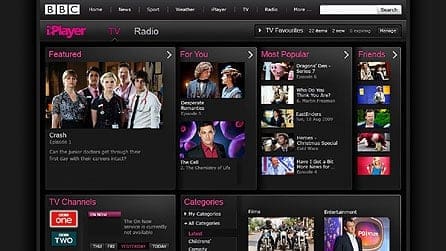
Bummed out you can’t binge BBC iPlayer content? We know the feeling – all that entertainment really is amazing.
But don’t worry – there are ways to unblock it in the US. We’ll cover all you need to know right here, but you can just skip to ProPrivacy’s guide for watching BBC iPlayer in the USA if you are in a hurry.
Hang On – Doesn’t BBC iPlayer Work in the US?
Not exactly.
Sure, you can connect to the website, and even view certain content (BBC Podcasts, BBC News, BBC Sounds, BBC Sport, and BBC Three YouTube Channel). However, you won’t get the full experience.
Want to watch an episode of Killing Eve? Tough luck. You’ll just get this error message:

And the same will even happen on the accessible channels too. Some content is just geo-blocked, meaning the website blocks your access to it if you’re not from the UK. How does it know that? Pretty simple – it analyzes your IP address, which reveals what country you are from.
What If You Download BBC iPlayer Content in the UK?
This mostly works for UK residents. The idea is to download all the shows you want to watch offline before leaving abroad.
True, if you’re from the US and happen to vacation in the UK, you could take advantage of this and get your fill of BBC iPlayer content. Though, let’s face it, it’s not very convenient.
Even if you don’t mind the inconvenience, downloading isn’t too ideal because there are certain limitations. According to BBC iPlayer, the stuff you download is only available as long as it’s on the website. If a series gets removed from BBC iPlayer, it will be deleted from your device too.
Besides that, filling up your device’s memory with tons of shows isn’t fun either.
Why Does BBC iPlayer Geo-Restrict Its Content?
It’s mostly due to rights agreements. BBC iPlayer has to honor them since they don’t own all the content.
And for the content they do own, they need to comply with the law – the UK TV license tax, specifically. UK taxpayers pay for BBC content, so they can’t exactly broadcast it worldwide to people who don’t.
The 3 Easiest Ways to Watch BBC iPlayer in the US
The only way you’ll get to enjoy BBC iPlayer in the US is if you hide your real geo-location. We know that sounds complicated, but don’t worry – you actually have three simple ways to do that:
1. Use a VPN
A VPN is an online service that hides your IP address. Here’s how the process works:
- You download, install, and run the VPN client on your device.
- Next, you connect to a VPN server in the UK.
- When you do that, it “replaces” your original IP address with its own. Basically, all your connection requests will go through the server. So, any website you connect to will get your requests from the VPN server’s IP address.
- Once you have a UK IP address, you can start binging anything you want on BBC iPlayer.
Besides that, a VPN also encrypts your Internet traffic, offering decent security and privacy.

2. Use a Proxy Server
Like a VPN, a proxy also hides your real IP address. It acts like a middleman between you and the web, intercepting your connection requests, and forwarding them to BBC iPlayer on your behalf.
So, you’d just need a British proxy server to unblock the platform.
What’s more, proxy servers have a local caching ability. To keep it simple, they can save requested content on their local cache. If you happen to request a saved web page from BBC iPlayer, the proxy can retrieve it without having to forward your requests to the website. Thanks to that, you get faster response speeds.
3. Use a Smart DNS
This is an online service that hides your geo-location by masking your DNS address. Besides that, it also:
- Intercepts your connection requests to BBC iPlayer and replaces any data that can leak geo-location information with new UK-related info.
- Routes your Internet traffic through different proxy servers in the UK.
One thing many people like about Smart DNS services is the lack of encryption. While it sounds counterintuitive, it means you can binge BBC iPlayer content while enjoying your original ISP speeds.
What’s the Best Option?
All services have their pros and cons, but ultimately, a VPN is the best solution. Here’s why:
- Unlike a Smart DNS, your speeds might suffer a bit, true. But it’s not by much if you use the right VPN protocol – like IKEv2, WireGuard, or SoftEther. And most VPN providers offer IKEv2. Also, many VPN providers incorporate a Smart DNS into their service – like NordVPN with SmartPlay and ExpressVPN with MediaStreamer.
- Compared to a proxy server, a VPN offers better encryption. So you’re less likely to deal with bandwidth throttling (when your ISP intentionally slows down your speeds) if you use a VPN. You also get better privacy.
- Proxy servers (especially free ones) get overcrowded pretty fast, and they often have limited bandwidth.
- While a proxy’s local caching ability is cool, it’s often unreliable. Why? Because it often contains outdated content.
- Lastly, some VPN providers have servers that actually double as proxies at no extra cost (CactusVPN is one example). Why use a proxy that’s not very reliable when you can just use a VPN that has built-in proxy functionality?
If you’re not sure how to use a VPN, check out ProPrivacy’s guide for watching BBC iPlayer in the USA. It has a clear step-by-step tutorial that shows you what you need to do. Also, it will answer any other questions you might have about the platform.
Conclusion
BBC iPlayer is one of the best entertainment platforms on the Internet. However, if you try to watch it in the US, you have to put up with a limited selection of shows and movies.
Luckily, you can use a VPN to spoof your geo-location, and make it seem like you are in the UK. You can also use a proxy or a Smart DNS, but a VPN usually works best.
